You run a routine inventory resync and – boom – an item you already listed shows up again like it’s brand new. Same product, fresh listing, today’s date. If you’ve been staring at a duplicate thinking “wait, is this normal?”, you’re not imagining it, and no, your account isn’t broken.
Here’s what’s happening – and how to stop hand-fixing it every week and let AI keep it from happening at all.
Why it happens
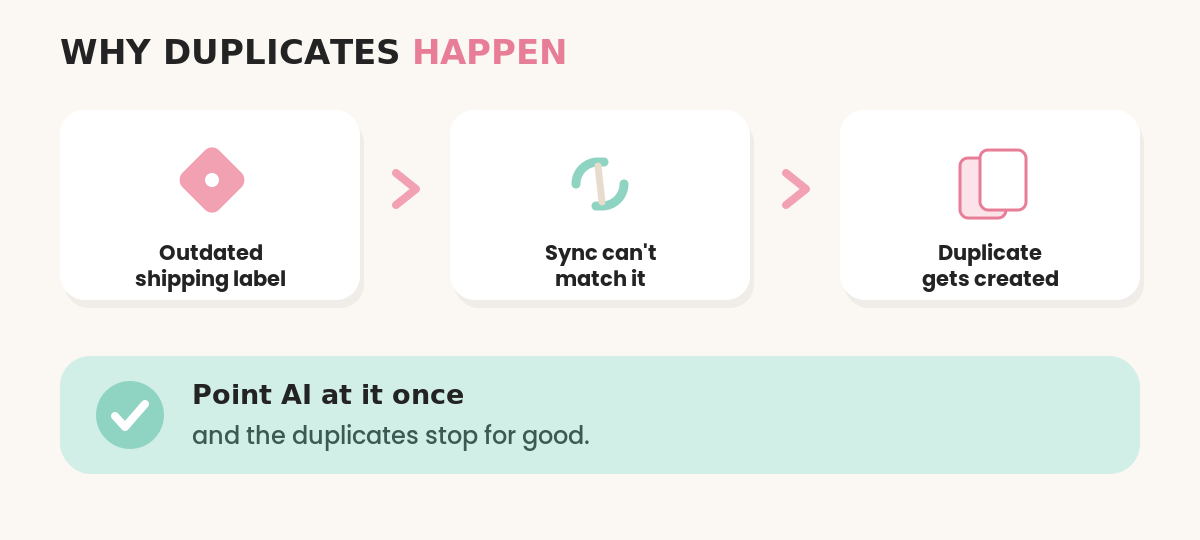
Almost every duplicate traces back to one thing: something on the original listing couldn’t be matched cleanly, so instead of updating the listing you already have, Nifty ends it and builds a brand-new copy.
The usual culprit is shipping. If a listing points at an old or outdated shipping label or policy that no longer exists on the marketplace, the sync can’t line things up, so it spins up a new listing to get around the mismatch. Change a preset, carry over a label from months ago, or have a platform quietly update its rates, and you wake up to duplicates.
The other trigger is your re-create (relist) settings. If “re-create” is turned on for a platform like Depop, Nifty is doing exactly what you told it to – ending and rebuilding listings – which looks a lot like duplicates when you weren’t expecting it.
The one-off fix, if today is on fire
If you just need to put out today’s fire:
- Find the duplicate. Search your inventory and confirm which copy is actually live.
- Check the shipping policy on the original. Nine times out of ten it’s pointing at an outdated label or preset. Swap it to a current one.
- Check your re-create / relist settings for that platform and switch them off if you don’t want Nifty rebuilding listings.
- Delete the stray copy, then run a clean resync and see if it comes back.
That works. But if you’re doing this by hand every single week, you’re the one being automated – by your own inventory.
The smarter fix: hand it to AI
Here’s the mindset that runs my whole business: chasing duplicates one at a time is exactly the kind of boring, repetitive, rules-based chore AI was built to eat. So I stopped clicking and started delegating.
Instead of re-mapping shipping labels by hand, I point AI at the whole job – it sweeps through the listings, cleans up the mismatches that spawn duplicates, and keeps things consistent so they stop coming back. I use Claude for this. (Claude is an AI that works like a virtual assistant – it actually controls your computer for you and automates the boring stuff. Use my link and you may qualify for a free week to test it, subject to availability: https://claude.ai/referral/LJhm3qPEVQ.)
I won’t dump the entire setup here – the exact way I get AI to audit for duplicates and keep my shipping clean, prompts and all, is what I walk through step by step inside my AI Reselling Playbook. But the takeaway is simple: aim AI at the boring part one time, and you stop fixing duplicates by hand for good.
Bottom line
Duplicate listings almost always mean “something couldn’t match,” and it’s usually shipping. You can keep fixing it by hand – or you can let AI handle the repetitive part and keep your listings clean while you do literally anything else. Your shop should be working for you, not the other way around.
New here? Nifty is the AI crosslister I use to list once and sell everywhere – and if you want in, my code ALEXIS44 gets you 15% off: https://nifty.ai/?referral=ALEXIS44